

Streaming video has become the go-to form of entertainment for millions, whether it’s binging Netflix, scrolling through TikTok, or watching YouTube tutorials. But if you’ve ever glanced at your mobile data usage and panicked mid-binge, you’re not alone. So, how much data does streaming video take, really?
In this article, we’ll break down exactly how video streaming impacts your mobile data, compare popular platforms, explain the difference between SD, HD, and 4K, and share practical tips for monitoring and saving data.
Why Streaming Video Uses So Much Data?

Streaming video works by transferring large chunks of video files in real time. Unlike downloading, where you save the whole file, streaming sends a continuous flow of data that keeps playing as long as you stay connected. Factors affecting usage include:
Video Quality (SD, HD, 4K)
Higher resolution videos, like HD (1080p) and 4K, use significantly more data than SD (480p). If you’re on mobile data, switching from HD to SD can save gigabytes over time.
Frame Rate
Frame rate is the number of individual images (frames) shown per second in a video. Fast-moving content such as sports or action movies sends more frames per second to your screen, increasing data usage. Videos with lots of motion require more information to look smooth.
Compression Technology
Different platforms compress videos differently. Efficient compression reduces file size without sacrificing quality, while less efficient compression can use more data even at the same resolution.
Platform Optimization
Social media platforms like TikTok or Instagram automatically compress videos heavily, while streaming services like Netflix or Disney+ prioritize video quality, consuming more data.
Example:
• SD (480p) streams use roughly 0.7 GB per hour.
• HD (1080p) streams use 3 GB per hour.
• 4K/Ultra HD can consume 7 GB per hour or more.
How Much Data Does Each Streaming Platform Use?
Different platforms vary in data consumption based on their content type, compression, and resolution options. Here’s a quick comparison:
Social Media Video Platforms
| Platform | SD (480p) | HD (720p) | Full HD (1080p) | 4K (2160p) |
|---|---|---|---|---|
| YouTube | 0.7 GB/hr | 1.5 GB/hr | 3 GB/hr | 7 GB/hr |
| TikTok | 0.5 GB/hr | 1 GB/hr | 2 GB/hr | – |
| Instagram Reels | 0.6 GB/hr | 1.2 GB/hr | 2.5 GB/hr | – |
Subscription-Based Streaming Services
| Platform | SD (480p) | HD (720p) | Full HD (1080p) | 4K / Ultra HD (2160p) |
|---|---|---|---|---|
| Netflix | 0.7 GB/hr | 1.5 GB/hr | 3 GB/hr | 7 GB/hr |
| Amazon Prime | 0.8 GB/hr | 1.7 GB/hr | 3.2 GB/hr | 6.8 GB/hr |
| Disney+ | 0.7 GB/hr | 1.5 GB/hr | 3 GB/hr | 7 GB/hr |
Even small differences in platform compression or streaming settings can add up over a month. If you stream daily, SD might save you dozens of GBs each month compared to HD or 4K.
Streaming Video Without Wi-Fi
Streaming on the go? You need smart strategies to avoid excessive charges.
Monitor Data Usage on Your Device
Both Android and iOS devices have built-in features to track data usage per app. Keep an eye on streaming apps to avoid surprises.
Use Data Saver Features
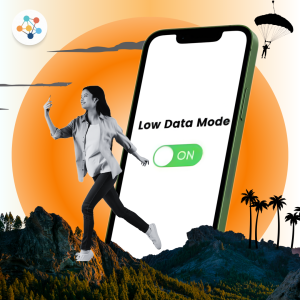
Many platforms like YouTube and Netflix allow you to reduce data usage in settings. For example, Netflix’s “Low” or “Medium” video quality modes can cut data consumption in half.
Offline Downloads
Downloading movies or episodes while on Wi-Fi allows you to watch offline without using mobile data. Netflix, Disney+, and YouTube all support offline downloads
Choose eSIMs for Affordable Data
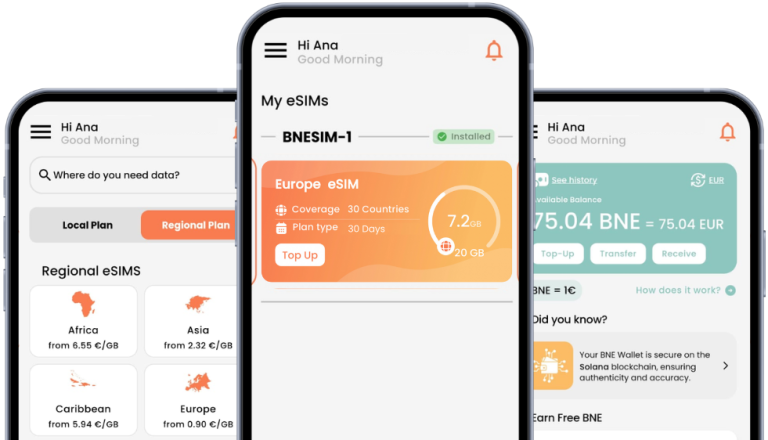
eSIMs let you access local or international data plans without high roaming fees. For example, BNESIM offers:
• Flexible plans: from 1GB to 100GB with 30 days or no expiration data options
• Easy activation: directly install in the app or scan the QR code
• Travel-friendly: with regional or global data plans, you can use one eSIM across multiple countries
How to Estimate Your Monthly Streaming Data Usage?
👉 Daily Streaming Hours× Days × Platform Data Rate = Monthly Usage
| Platform | Hours/day | Quality | GB/day | Days | Monthly Usage |
|---|---|---|---|---|---|
| Netflix | 2 | HD | 6 GB | 30 | 180 GB |
| YouTube | 1 | HD | 3 GB | 30 | 90 GB |
| TikTok | 1 | HD | 1.5 GB | 30 | 45 GB |
Pro tip: Use this table to plan your eSIM or mobile plan needs before traveling.
FAQs
How much data does Netflix use per hour?
~1 GB for SD, ~3 GB for HD, ~7 GB for 4K.
How much data does Hulu use per hour?
~0.8 GB for SD, 3 GB for HD, up to 7GB for 4K.
How many gigabytes are in a movie?
A 2-hour movie: SD ~1.4 GB, HD ~6 GB, 4K ~15 GB
Does streaming in HD or 4K use more data than standard definition?
Yes. HD uses about 3× more than SD, while 4K uses about 10× more.
How can I reduce data usage while streaming videos?
- • Lower resolution settings.
- • Use offline downloads.
- • Enable data saver mode in apps.
- • Stream on Wi-Fi whenever possible.
Stay Connected Without Burning Data
Streaming can be data-hungry, but with smart management, you can balance quality and cost. Whether you’re at home or traveling abroad, tools like offline downloads, data saver features, and eSIMs such as BNESIM help you stay connected without draining your data plan.
👉 Choose BNESIM for flexible, affordable, and reliable international data plans—perfect for travelers, digital nomads, and anyone who loves uninterrupted video streaming.

Kai Claide
A content creator with a love for the outdoors and pictures. A true beach person at heart, enjoys sunny coastlines, sipping matcha, and making the most out of every adventure. Curious and is always up for something fun.


 English
  Italiano