
Xiaomi has become one of the world’s most popular smartphone brands, known for delivering high-quality devices at affordable prices. As mobile connectivity continues to evolve, eSIM technology is gaining traction, offering users the convenience of going SIM-free. If you’re a Xiaomi user curious about how eSIM works with your device, this guide answers the most common questions about eSIM for Xiaomi phones.
What Are Xiaomi Phones?

Xiaomi is a Chinese tech giant known for smartphones, smartwatches, and other smart devices. The phones are renowned for:
• High performance at competitive prices
• Innovative features like AMOLED displays, fast charging, and advanced cameras
• Software features with MIUI, Xiaomi’s Android skin
Many Xiaomi phones now support eSIMs meaning you can activate mobile plans without using a physical SIM. This is particularly useful for travelers who need international data without buying multiple SIMs.
Which Xiaomi Phones Support eSIM?
Not all Xiaomi devices support eSIM, but the list of compatible models is growing. Here are the current Xiaomi phones with eSIM support:
- • Xiaomi 15 Ultra
- • Xiaomi 15
- • Xiaomi 14T Pro
- • Xiaomi 14T
- • Xiaomi 14 Pro
- • Xiaomi 14
- • Xiaomi 13T Pro
- • Xiaomi 13T
- • Xiaomi 13 Pro
- • Xiaomi 13
- • Xiaomi 13 Lite
- • Xiaomi 12T Pro
- • Xiaomi Redmi Note 14 Pro+ 5G
- • Xiaomi Redmi Note 14 Pro+
- • Xiaomi Redmi Note 14 Pro 5G
- • Xiaomi Redmi Note 14 Pro
- • Xiaomi Redmi Note 13 Pro+
- • Xiaomi Redmi Note 11 Pro 5G
- • Xiaomi Poco X7
This lineup shows Xiaomi’s commitment to expanding eSIM adoption across its flagship, mid-range, and even budget-friendly models.
How to Check eSIM Compatibility on your Xiaomi Phone?
- Go to Settings → tap About phone.
- Select SIM card & mobile network.
- If you see an option for “Add eSIM” or “SIM Manager”, your device supports eSIM.
- You can also confirm compatibility by visiting Xiaomi’s official website or checking with your mobile carrier.
Does the Xiaomi Watch Support eSIM?
Xiaomi smartwatches, like the Xiaomi Watch 2 Pro, support cellular connectivity via eSIM. This allows:
• Receiving calls and texts directly on your watch
• Using mobile data without a paired smartphone
• Staying connected while running, cycling, or traveling
Not all Xiaomi watches support eSIM, so confirm via the official Xiaomi specifications page.
How Do I Activate eSIM on Xiaomi Phones?
Activating eSIM on a Xiaomi phone is simple. Here’s how:
- Check eSIM compatibility
- Open Settings > SIM cards & mobile networks
- Tap Add mobile plan > Scan QR code from your carrier (e.g., BNESIM)
- Follow on-screen instructions to complete activation.
- Name the eSIM (e.g., “Travel Data” or “Work”)
- Select your preferred default line for calls, SMS, and mobile data
Once activated, your Xiaomi phone will be able to use mobile data and make calls without a physical SIM card.
Can I use SIM and eSIM on Xiaomi at the same time?
Yes. Most eSIM-enabled Xiaomi phones support Dual SIM Dual Standby (DSDS), which means you can use one physical SIM card + one eSIM simultaneously. You can assign one line for calls/SMS and the other for mobile data, making it convenient for business and travel.
Can I remove or delete eSIM on Xiaomi?
Yes, you can remove or temporarily disable an eSIM profile from your Xiaomi phone.
Go to Settings → SIM cards & mobile networks → select the eSIM → Remove.
Please be careful when deleting your eSIM, as in some situations it cannot be restored. If you accidentally delete it or want to understand the limitations, check this detailed guide on what happens if you delete an eSIM on your phone for instructions and precautions.
Can I transfer my eSIM to a new Xiaomi phone?
Yes, transferring your eSIM is possible but depends on carrier policies. For BNESIM users, eSIM profiles are typically one-time downloads. You can’t simply copy them to a new phone. You’ll need to request a reissue or transfer from your carrier or eSIM provider. Once you receive the new QR code or activation details, you can install it on your new Xiaomi device.
Do Xiaomi phones work in the US?
Yes, but with some conditions. While many newer Xiaomi models support global LTE and 5G bands, compatibility depends on the specific US carrier (AT&T, T-Mobile, Verizon, etc.). Since Xiaomi phones aren’t officially sold in the US, always:
• Check the supported network bands of your model.
• Confirm with your carrier that your Xiaomi device is compatible.
• Use an unlocked global version of your phone for best results.
Can I use BNESIM eSIM on my Xiaomi phone?
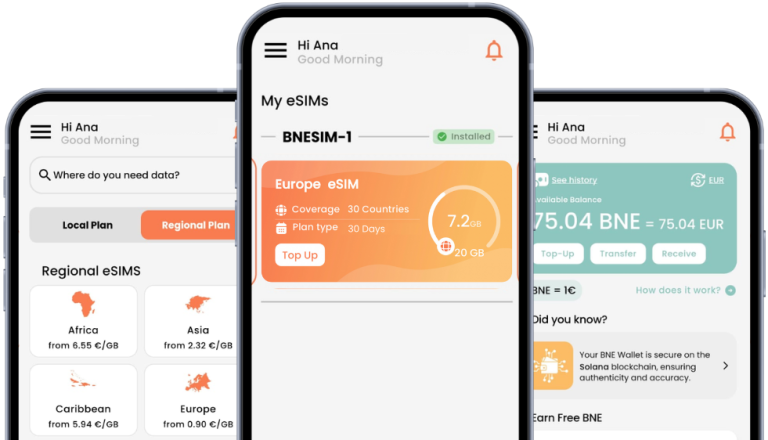
Absolutely! BNESIM offers travel-friendly eSIM plans that work perfectly with Xiaomi’s eSIM-enabled devices. Just scan the QR code provided by BNESIM, activate it via your phone’s settings, and you’ll be connected worldwide without roaming fees or swapping SIM cards.
💡 BNESIM eSIMs are compatible with a wide range of devices, check the full list to see if your device is supported
Final Thoughts
As eSIM technology continues to grow, more Xiaomi phones and wearables are adopting it, giving users a hassle-free, flexible way to stay connected. Whether you’re switching between carriers, traveling abroad, or just tired of juggling SIM cards, eSIM for Xiaomi provides a seamless solution.
👉 Ready to experience the freedom of eSIM? Get your BNESIM eSIM for Xiaomi today and stay connected wherever life takes you!

Kai Claide
A content creator with a love for the outdoors and pictures. A true beach person at heart, enjoys sunny coastlines, sipping matcha, and making the most out of every adventure. Curious and is always up for something fun.



 English
  Italiano